Activate invoicing
Complete the initial Sales Invoices setup before creating sales documents.
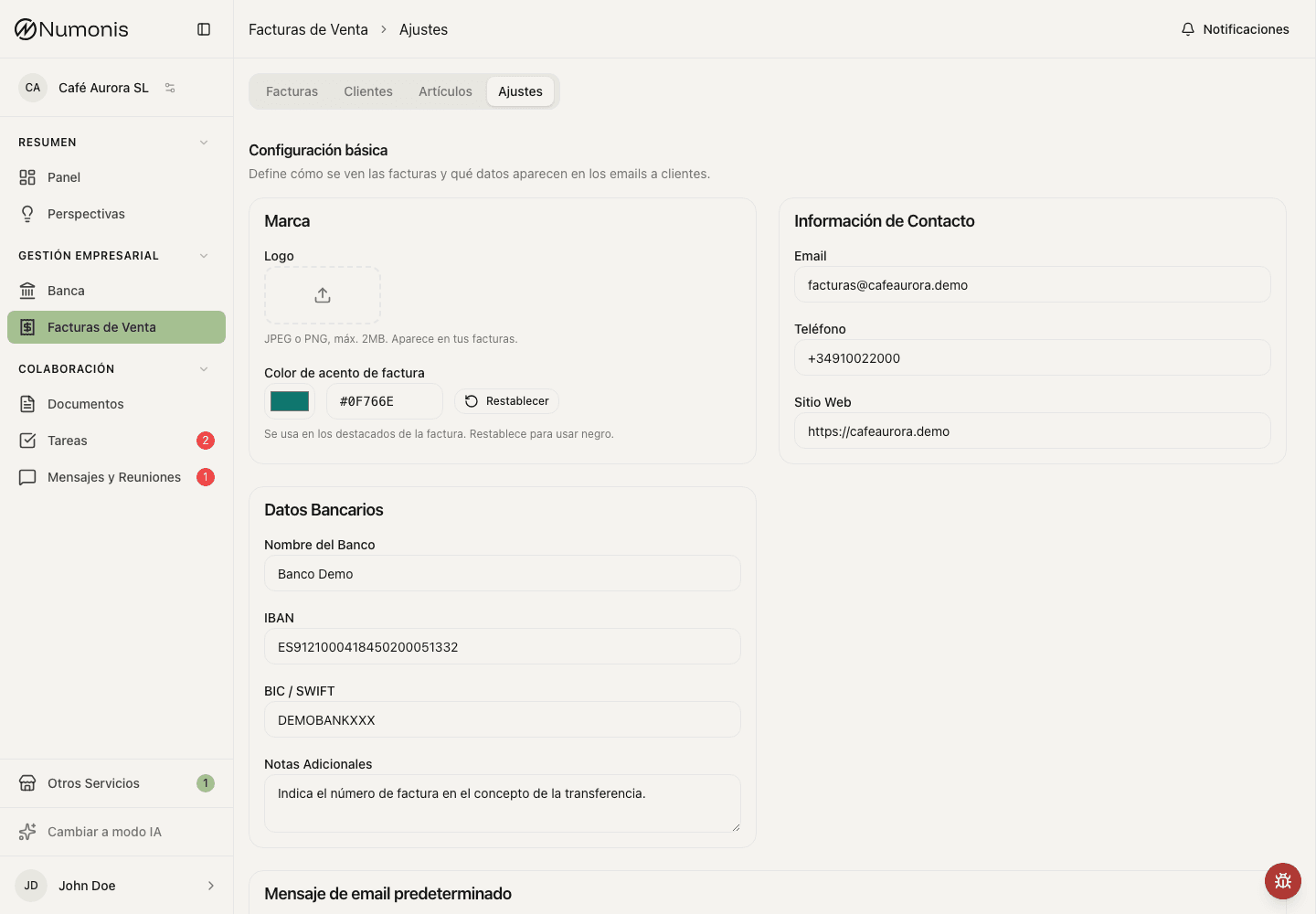
Invoicing settings show certification status and the business details used on issued documents.
The first time you use Sales Invoices, Numonis may ask you to complete an initial setup. This confirms your tax details, lets you choose a certification option when available, and prepares invoicing before you issue documents.
How to get there
- Open Sales Invoices.
- If a welcome screen appears, press Start.
- If you are already inside the module, open Settings and use the setup or certification action when it appears.
Setup steps
- In Certification, choose the option that applies to your business.
- If VeriFactu appears as available and you want to activate it, select it and continue.
- If it appears as Coming soon or you do not want to use certification yet, choose No certification.
- In Business details, review legal name, NIF/CIF, fiscal country, address, and legal representative.
- Press Complete setup.
- If you selected VeriFactu, follow the Registration step to accept the electronic signature flow and upload the identity document requested.
Certification statuses
- Not certified: you can prepare standard invoices without real-time fiscal reporting.
- Pending contract: a requested agreement still needs to be signed or uploaded.
- In review: registration was sent and Numonis is waiting for provider confirmation.
- Active: certification is ready and you can issue certified invoices.
- Rejected: details must be corrected or registration must be retried.
If you need to change it later
- Open Sales Invoices.
- Press Settings.
- Find the certification block.
- Press Configure, Continue setup, or Retry if the action is available.
Common problems
I do not see VeriFactu
It may not be available yet in your environment or account. Use No certification if you need to continue and write to Numonis if you have a fiscal question.
The NIF/CIF is not accepted
Check for spaces, confirm the fiscal country, and make sure the format matches the identifier type.
Registration stays in review
This can happen during validation. If you need to issue urgently or the status does not change, open Messages & Meetings and ask Numonis.