Banking and reconciliation
Link documents to transactions
Relate existing or new documents to bank transactions from Banking.
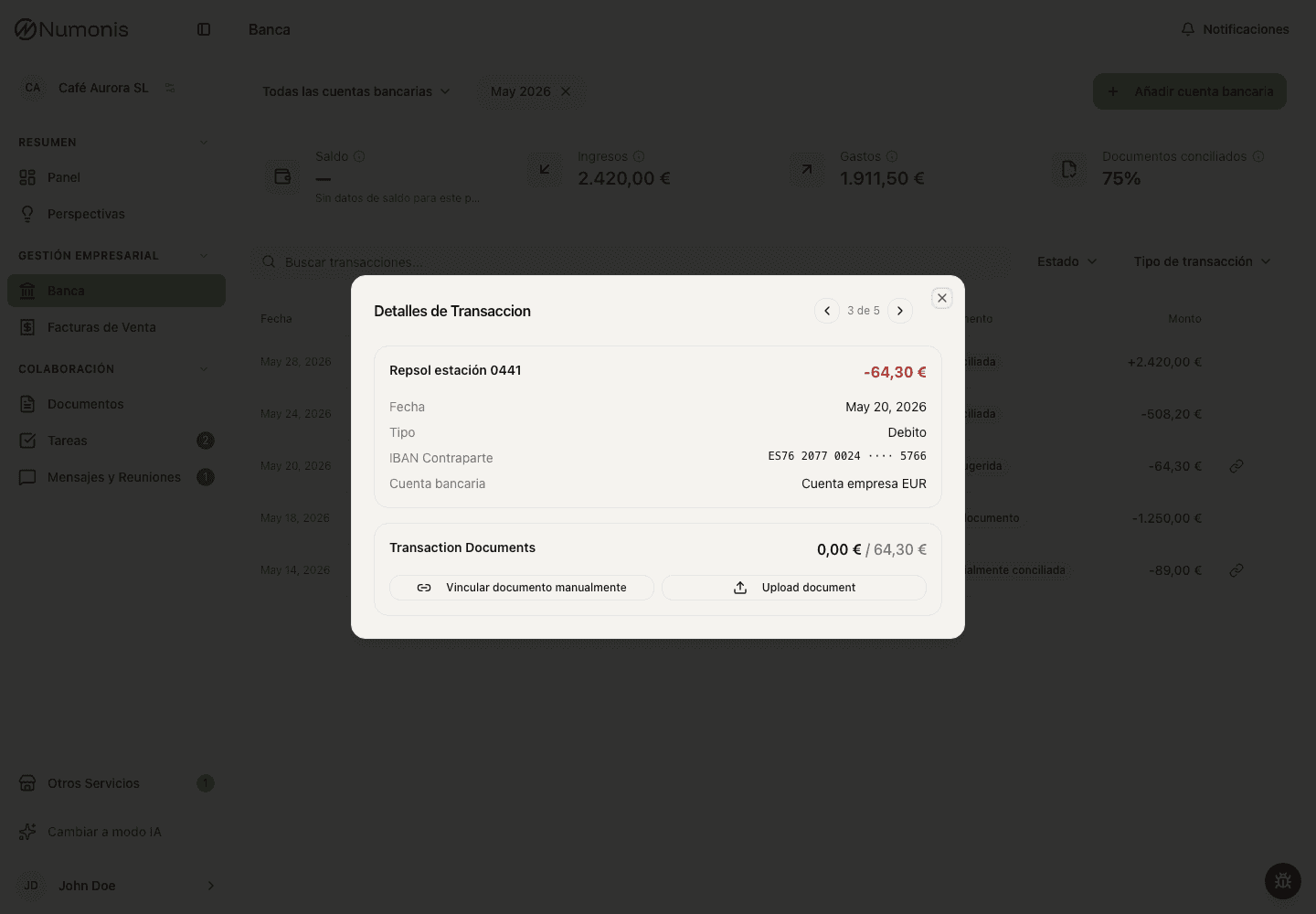
Use transaction detail to link an uploaded document or add one when the action is available.
Linking documents to transactions helps explain income and expenses. The goal is for your accountant to review each transaction with the related invoice, receipt, statement, or supporting document.
Link an existing document
- Open Banking.
- Open the bank account and transaction.
- Press Link document manually.
- Search for the document by name, supplier, customer, or amount.
- Tick every document you want to link. Preview one first if you need to confirm it is the correct document.
- Search again to add more — what you already ticked stays selected.
- Press Link, which shows how many documents you picked, to link them all at once.
A transaction can be explained by several invoices. Supporting documents that are not invoices settle the whole remaining amount, so link only one of those per transaction.
Upload a document from the transaction
- Open the transaction.
- Press Upload document.
- Drag the file in or select it from your device.
- Wait for Numonis to confirm the upload.
- The document stays associated with the transaction while it is processed.
If you are not sure what to do
Contact your accountant through Messages & Meetings. Include bank account, date, amount, and transaction description so they can guide you.