Configure invoicing
Complete your business details, numbering, email, and payment methods before issuing invoices.
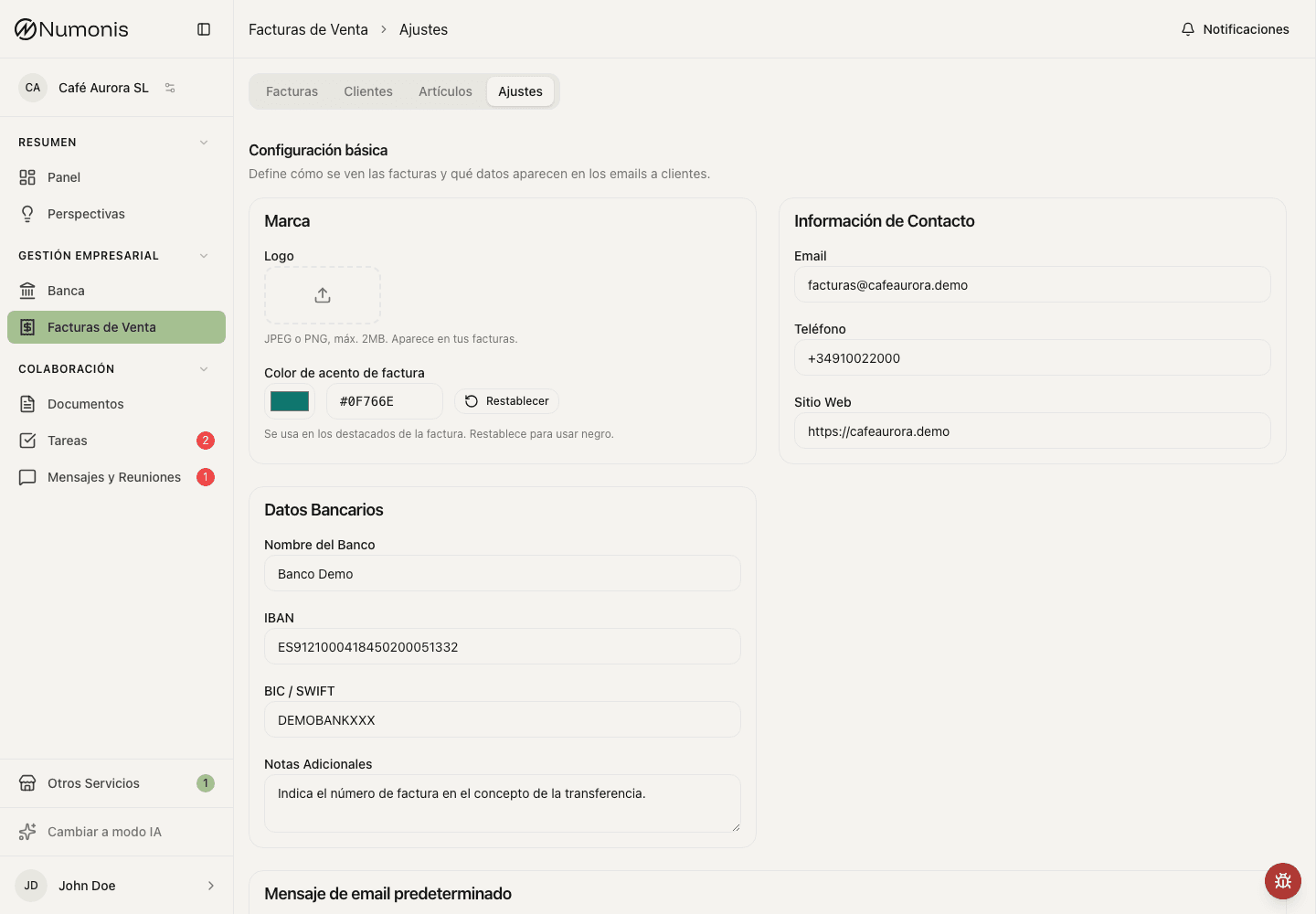
Settings group tax details, brand, payment methods, email templates, and numbering.
Before issuing invoices, review your invoicing settings. These settings control what appears on the PDF, how invoice numbers are assigned, what email text customers receive, and whether certified invoicing is active.
How to get there
- Open Sales invoices.
- Press the Settings tab.
- Review each block before issuing the first invoice.
What each setting controls
- Certification: shows whether your account is not certified, pending, in review, active, or rejected. If VeriFactu or another certification option is available, this block is where you continue, retry, or review the setup.
- Business details: legal name, NIF/CIF, address, fiscal country, and legal representative. These details appear on issued documents.
- Brand: logo, color, and visual details used on invoice PDFs.
- Bank transfer: expand this method under Payment methods to edit the bank name, IBAN, BIC, and payment notes. These details appear on invoice PDFs only when the payment method is Bank transfer. Other payment methods hide them without removing the saved values. If you select bank transfer without an IBAN, Numonis warns you before issue and links directly to payment settings.
- Direct debit: when this capability is enabled for your organization, expand this method under Payment methods to turn on SEPA direct debit files and edit the creditor identifier, IBAN, and BIC. The creditor legal name comes from Business details, and the account is shared with Bank transfer. Turning file generation on makes Create direct debit file available whenever you select documents. A BIC is required only for legacy
pain.008.001.02XML; currentpain.008.001.08XML can omit it. C19.14 TXT can also omit it but requires a Spanish creditor IBAN. Your bank or payment provider can confirm the creditor identifier and format assigned to your organization.
If direct debits are not enabled for the organization, Numonis hides direct-debit setup and new actions. Previously saved mandates, SEPA settings, and direct-debit payment methods are retained as read-only history and return unchanged if the capability is enabled again.
- Emails: default subject, subheading, and message used when you send invoices from Numonis. Turn on Use your business footer to add your organization footer to customer invoice, quote, and proforma emails. The structured editor reuses your saved logo, brand color, business identity, and contact details. You can add an English and Spanish tagline, privacy-policy link, and legal text; choose whether to show the tax ID, address, phone, and Numonis attribution; and check the localized desktop or mobile preview. Organizations with the Numonis footer capability can instead choose the approved standard Numonis footer used by platform emails. Choose No footer to send these emails without a footer.
- Numbering: prefixes and next numbers for invoices, simplified invoices, corrective invoices, proformas, and quotes when those types are enabled.
What to review before issuing
- Confirm the certification status.
- Confirm business legal details.
- Review brand, payment methods, and email template.
- Confirm numbering for every enabled document type.
- Save the changes.
Change certification
- Open Settings inside Sales Invoices.
- Find the certification block.
- Press Configure, Continue setup, or Retry if the action appears.
- Follow the guided setup until you return to the document list.
When to ask for help
Write to Numonis if you have questions about tax regime, VeriFactu, equivalence surcharge, IGIC, intra-Community VAT, or legal numbering.