How to create a sales invoice
Create a sales invoice from Numonis, add customer, lines, taxes, and confirm issuance.
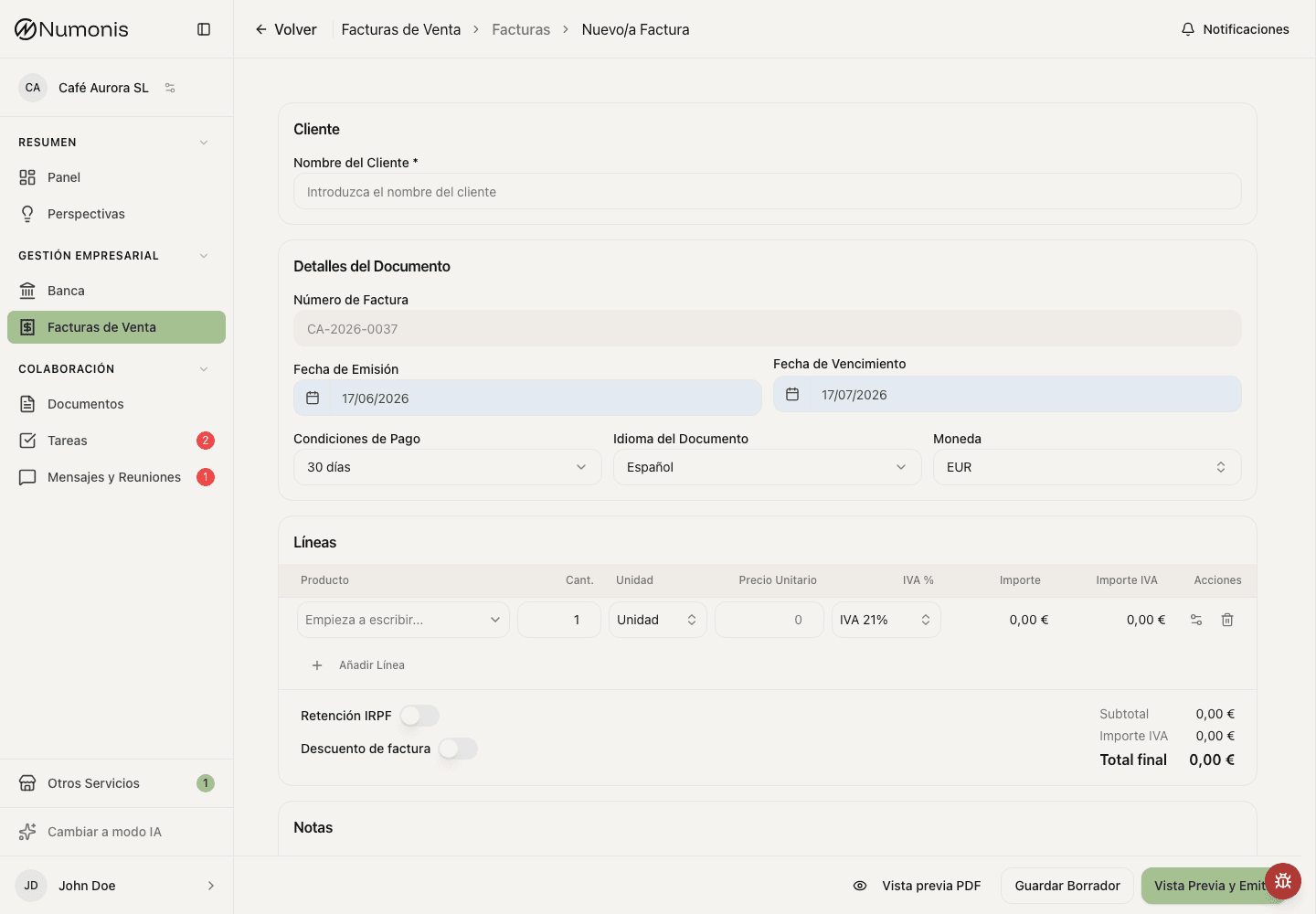
The invoice form brings together customer, dates, lines, taxes, notes, and preview.
Creating invoices from Numonis lets sales information enter your accounting workflow directly.
Before creating the invoice
Check that invoicing settings are complete and that you have the customer's tax details.
If this is the first time you open Sales Invoices, complete the initial setup first. Numonis may ask for business details, certification, and registration before showing the invoice form.
How to get there
- Open Sales invoices.
- Press New.
- Choose the document type if Numonis asks for it.
How to create the invoice
- Select an existing customer or press to create a new one.
- Review invoice date, due date, currency, and language.
- Add lines with description, quantity, price, and the correct tax treatment.
- Apply discount or withholding only if appropriate.
- Add notes or terms if you want them to appear on the invoice.
- Press Preview to review exactly what the final PDF will look like.
- Press Save draft if you do not want to issue it yet.
- Press Issue only when the invoice is ready. Once issued, it cannot be edited like a draft.
For an outlay (suplido)—an amount paid in the customer's name and on their behalf—choose Outside scope (Outlays). Numonis sets tax to 0% and reports it as VeriFactu N1. Do not choose Third-party professional fee collections (regime 10) unless your accountant confirms that your organization is collecting professional fees or rights on behalf of members.
What to review before issuing
- Customer legal name and NIF/CIF.
- Tax address if applicable.
- Invoice number.
- Tax treatment, taxable base, VAT, and total amount.
- Clear description of the service or product.
After issuing
The invoice is registered. From the detail page you can download it, send it by email, mark it as paid or unpaid, or create a corrective invoice if needed.