Connect a bank account
Connect a bank account through open banking or use bank statements when a connection is not available.
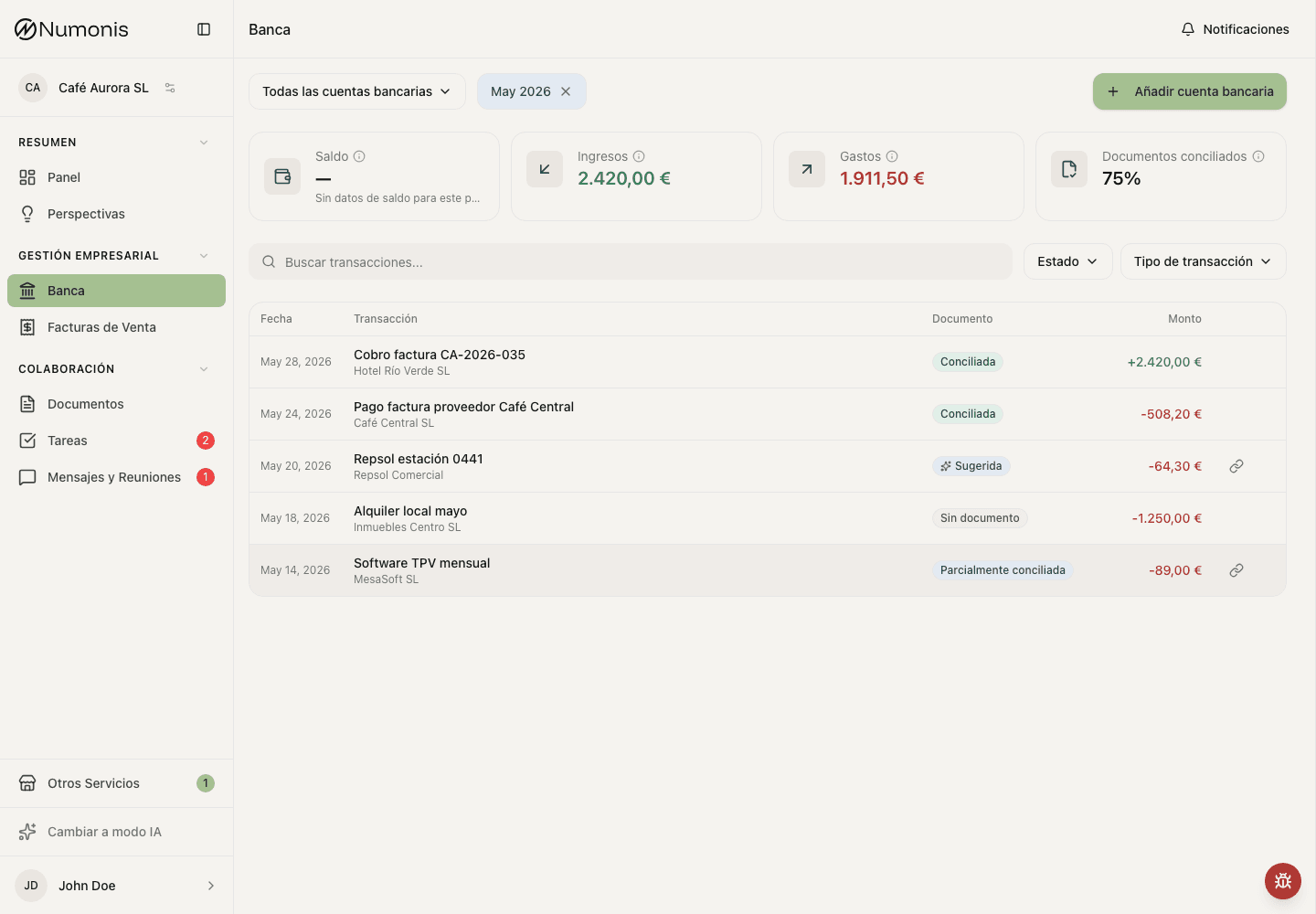
When you already have an account connected, you will see balance, last sync, and recent transactions.
Connecting a bank account lets the Numonis platform show transactions and helps your accountant relate them to invoices, receipts, and supporting documents.
Before you connect
- Connect bank accounts used for business activity.
- Ask your accountant before connecting a personal bank account that mixes personal and business movements.
- If the bank account cannot be connected through open banking, upload bank statements periodically from Documents.
- If you are unsure whether a bank or credit card is supported, try the connection flow or ask Numonis support through Messages & Meetings.
How to get there
- In the sidebar, press Banking.
- If there are no connected bank accounts, Numonis will show a welcome screen.
- Press Connect bank or Add bank account.
How to connect through open banking
- Select the bank country if Numonis asks for it.
- Search for your bank in the list.
- Press Continue.
- Complete authorization on the secure screen from the banking provider. The bank may ask you to confirm access to older movements (from 1 January of this year).
- Return to Numonis and wait for the bank account to appear.
A new connection imports from 1 January of this year, or the last 90 days if that is later (January–March). Banks that only share 90 days still stop at 90 days. An existing connection does not fill older months: upload a statement from Documents for the missing period.
If open banking is not available
- Upload a bank statement from Documents.
- Your accountant reviews the statement and approves it.
- After approval, the bank account and its transactions appear in Banking.
- Repeat statement uploads periodically. The Banking page shows which months still need a statement, from the month your subscription started to last month.
What happens next
Numonis syncs transactions and shows the last update date. Some connections expire for security reasons; if that happens, you will see an action to refresh or reconnect the bank connection.