Upload documents
Upload invoices, receipts, bank statements, and files so Numonis and your accountant can review them.
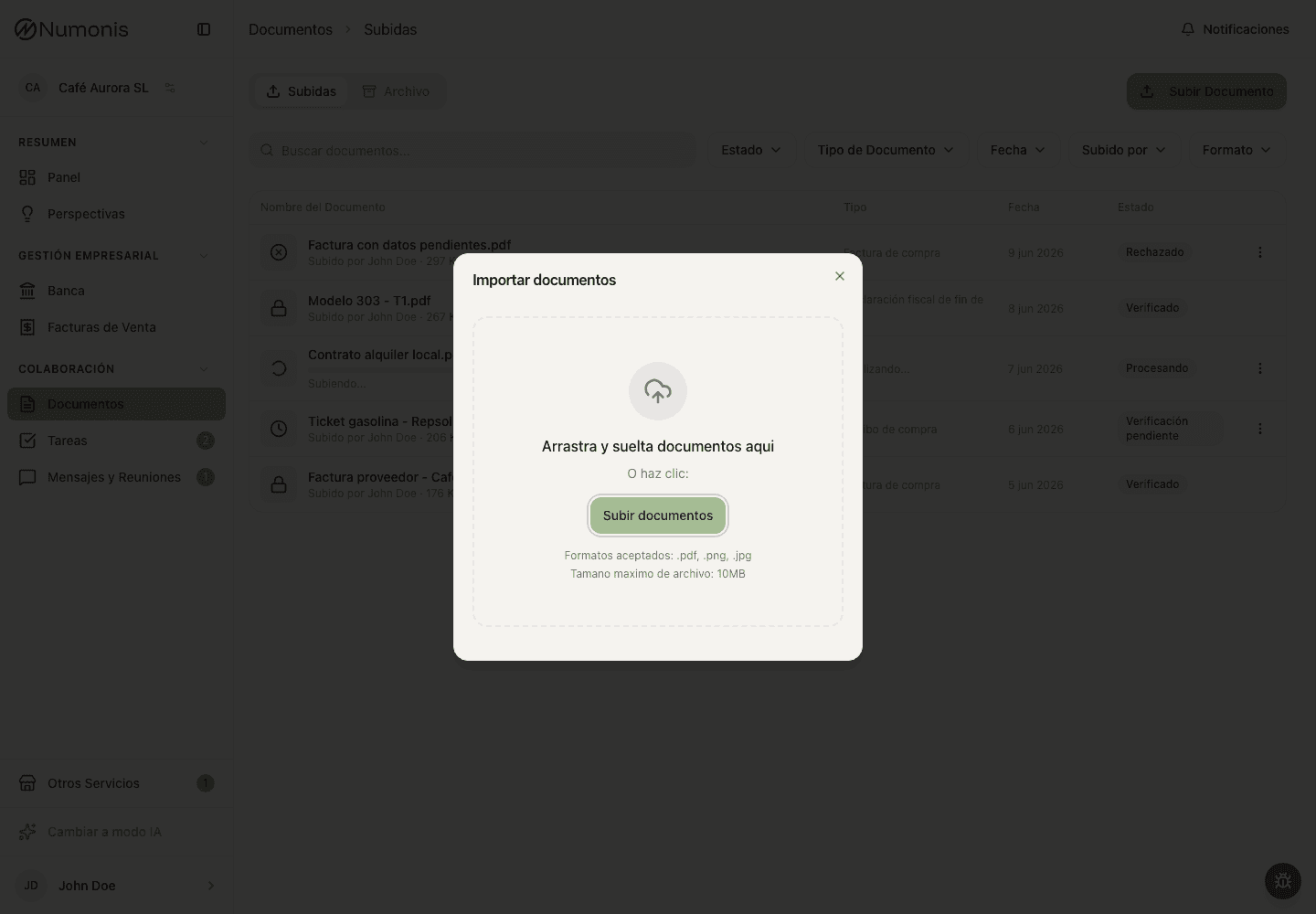
From Documents, drag files anywhere on the upload screen or press Upload to select them from your device.
Document upload is how you send files to the Numonis platform for accounting review. Upload documents when they explain business income, expenses, payments, collections, or a request from your accountant.
What this is
The Documents section stores files that Numonis and your accountant use to classify, review, and close your accounts. A document can be a supplier invoice, receipt, ticket, contract, payroll file, official letter, bank statement, or any other file requested through a task or message.
Files uploaded here are separate from bank transactions. If a bank transaction needs a document, upload the file first and then link it from Banking when the action is available.
Before you upload
Check that the document is legible and includes the important details: supplier, date, amount, VAT if applicable, and expense description.
How to get there
- In the sidebar, press Documents.
- On mobile, press Documents in the bottom navigation.
How to upload files
- Press Upload.
- Drag files anywhere on the upload screen or press to select them.
- Check that all files appear before confirming.
- Press Upload documents.
- Wait for Numonis to confirm the upload.
On mobile, you can upload a photo directly from your phone. Take the photo in good light and make sure the full document is visible.
After uploading a document
Numonis processes the file. The status may appear as Processing, Pending, Verified, Rejected, or Duplicate. If information is missing, your accountant may leave a note, assign a task, or write to you through Messages & Meetings.
Common problems
The document is not clear
Upload a higher-resolution version or take the photo again with good lighting.
I do not know whether a receipt is enough
If you have a full invoice, upload the invoice. If you only have a receipt, upload it anyway and your accountant will tell you if more information is needed.
The file is password-protected
Numonis cannot read PDFs or ZIP files that require a password. Remove the password first — for example, open the PDF with its password and save or print an unprotected copy — and upload the file again.
The file was already uploaded
If you upload a file that is identical to one already in your organization, Numonis skips it and tells you which file was a duplicate. Nothing is lost — the original document is already there. If you meant to replace a rejected document with a corrected version, use the re-upload option on that document instead.