Review document status and archive
Filter documents, review their status, and use the archive to find documents from previous periods.
The archive groups documents by date so you can return to supporting documents from previous closings.
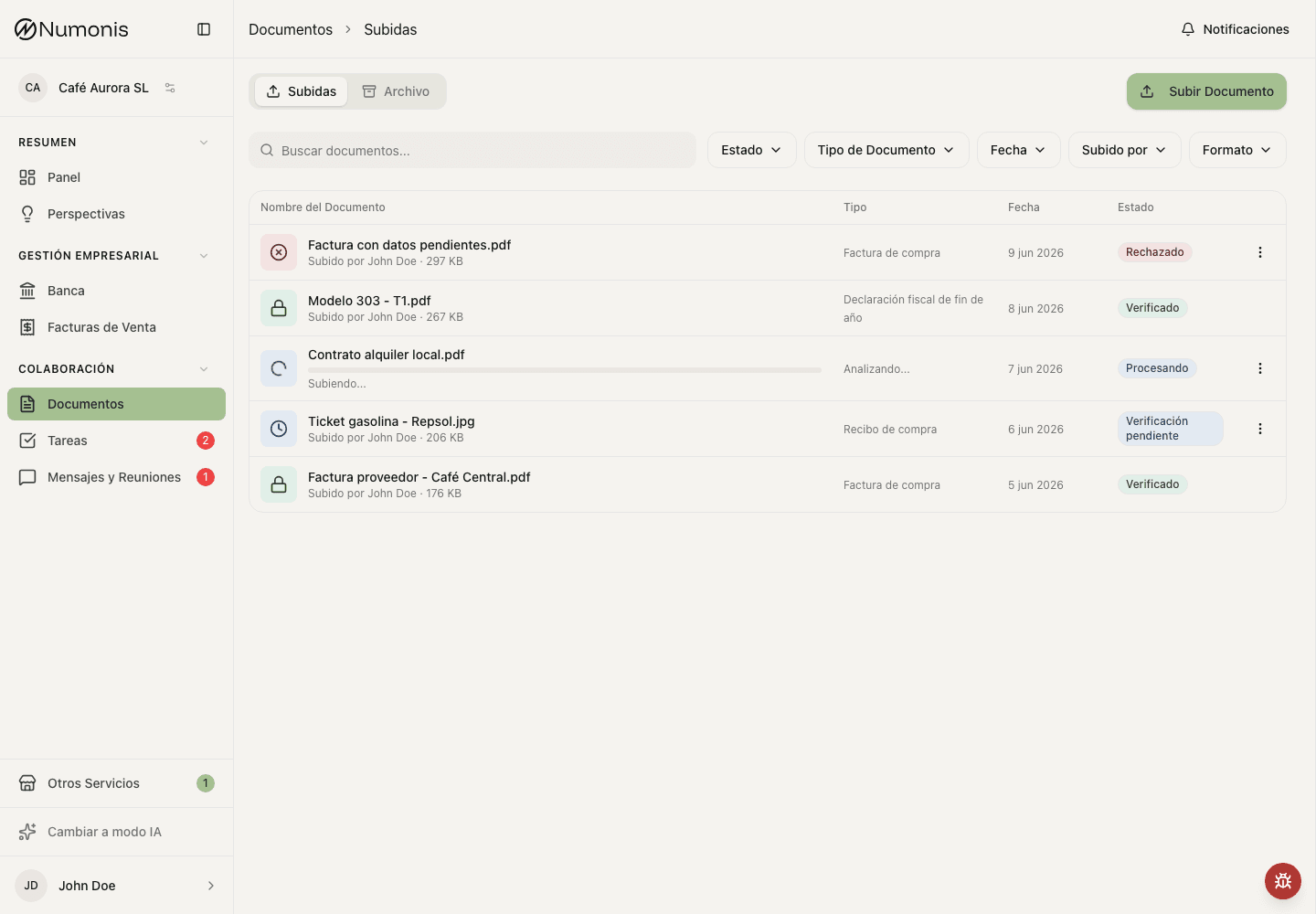
The Documents view shows uploaded files and their accounting status. Use it to understand whether a document is still being processed, needs attention, has been reviewed, or is stored for a previous period.
How to review recent documents
- Open Documents.
- Use the main list to see recent documents.
- Type in the search box if you know the supplier, amount, or file name.
- Filter by status if you only want to see pending or rejected documents.
- Press a document to open its detail.
How to use the archive
- Open Documents.
- Press the Archive tab.
- Search or filter from the Archive root to find a document across the full archive.
- Select a folder to browse by category. Search and filters then stay within that folder.
- Select the year and month when the folder uses accounting periods.
- Open the document you want to check.
How to rename a document
Scanned files often arrive with generic names such as scan_0001.pdf. A clear name makes the document easy to find later.
- Open Documents.
- Press the ⋮ menu on the document and select Rename.
- Type the new name. The file extension does not change.
- If Numonis knows the supplier, press the suggested name to use it.
- Press Save changes.
You can rename the documents you uploaded. Organization administrators can also rename documents that arrived by email.
What each status means
- Processing: Numonis is reading the file.
- Pending: review, confirmation, or more information is missing.
- Verified: the document has been reviewed.
- Failed: the file could not be processed — correct it and upload it again. Files where malware is detected fail automatically and are blocked from download; contact your accountant if you believe this is a mistake.
- Rejected: there is a problem you need to correct.
- Duplicate: Numonis detected that the file already exists.
If the status does not make sense, open the document detail first. If you still need help, write through Messages & Meetings and include the document name.